
Call log: missed calls, recordings and AI analysis in one list
Every inbound and outbound call with recordings, transcripts and AI analysis. A missed-call counter that clears once you call back, and filters for managers.
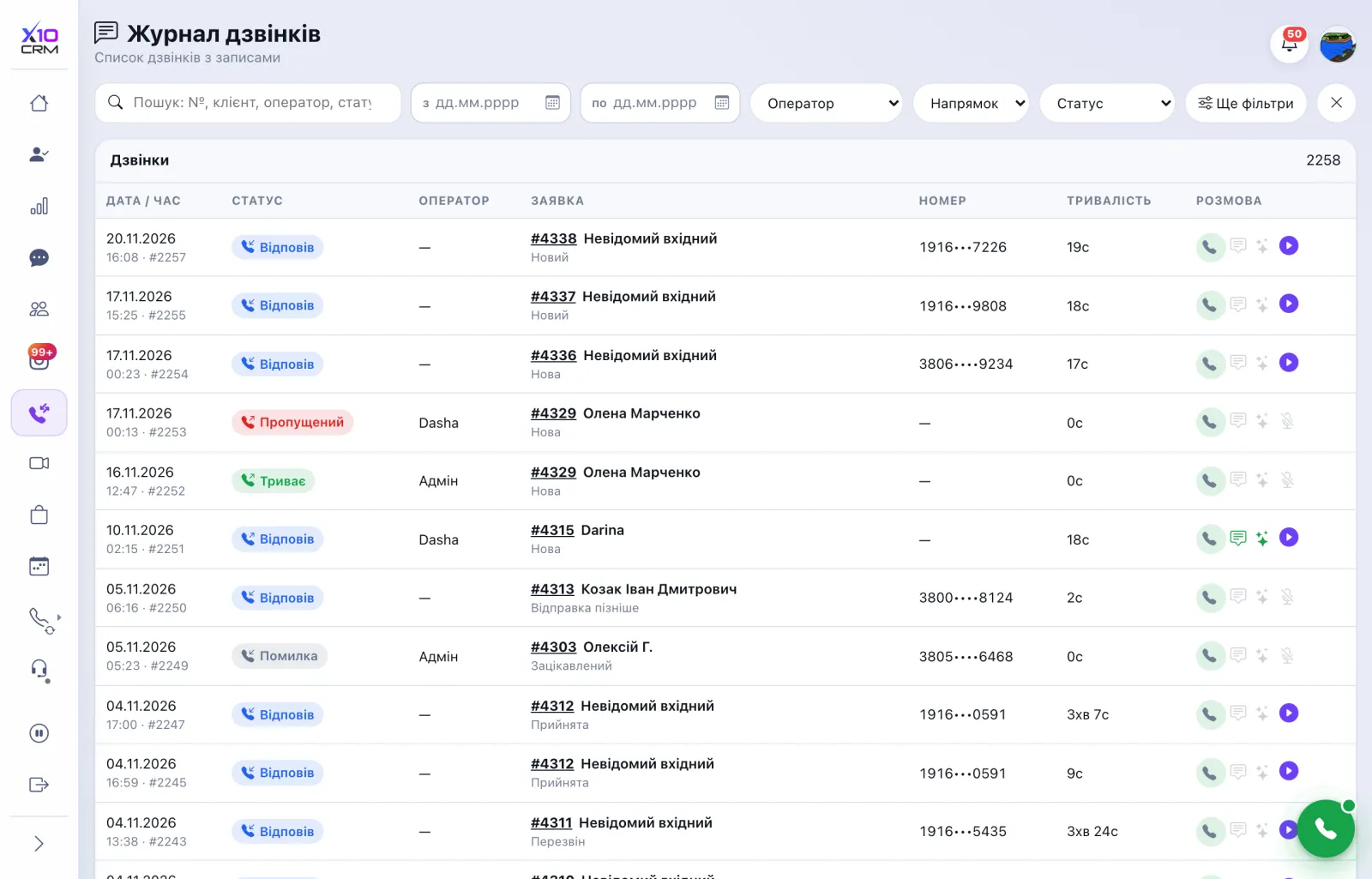
A missed call is a customer who already wanted to buy. The Call log shows every conversation your team has, with its recording, transcript and deal — and it won't let missed calls slip: their count glows right in the menu.
#Missed-call counter
The menu item shows how many missed calls nobody has returned yet, just like unread messages in Social. The counter clears by itself once someone calls the customer back (even if the line was busy) or opens their deal. Binotel voicemail counts as missed too — the customer never reached a person.
#What each row shows
- Date, time and call number.
- Status: answered, missed, busy, failed, or in progress for live calls.
- Rep, the deal with its status, and the customer's number.
- Duration and buttons: call back, transcript, AI analysis, play recording.
If a caller has no deal, the CRM pulls their name from the client directory.
#Filters
| Filter | Why |
|---|---|
| Period | The same calendar as the lead list: a day, a week, any range |
| Rep | Review one rep's calls |
| Direction | Inbound only or outbound only |
| Status | For example, every missed call today |
| Project | Calls for one business line |
| Transcription and AI analysis | None, queued, processing, ready, failed — find calls the AI has already reviewed |
| Lead status | For example, calls on deals that ended in a loss |
#Related guides
- Call recordings — where they're stored and who can listen.
- Call transcription — how to read a transcript.
- Phone number protection — a blacklist for spam calls.