
Operators, breaks and the working day: call-centre control in your CRM
Live operator activity, breaks and technical breaks, a daily break limit, auto-break on inactivity, auto sign-out and working hours — set per project.
A call-centre manager needs to see who's working right now, who's on a break and who "stepped out for five minutes" an hour ago. Operator activity shows it live, and the operator policy sets the rules: working hours, break limits, auto-break and auto sign-out.
#Operator activity
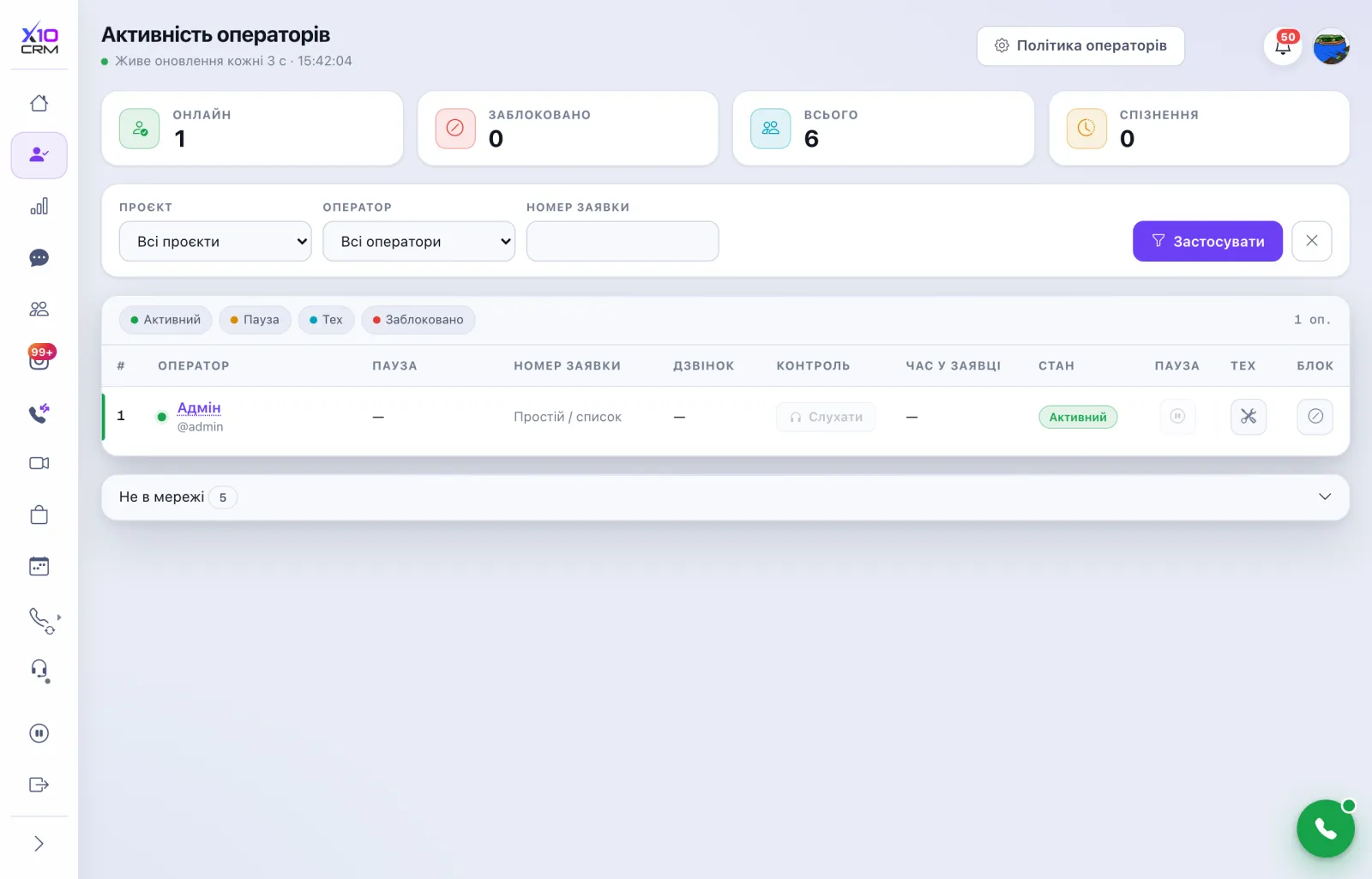
- Counters on top: online, blocked, total and late — who started after the working day began.
- Filters by project, operator and lead number.
- For each operator: the current break, the lead they're working on, the call, time in the lead and state — Active, Break, Tech or Blocked.
- Listen — join the current call.
- Action buttons: start a break, a technical break, or block the operator.
#Breaks
| Type | Who starts it | Counts towards the limit |
|---|---|---|
| Break | The operator — with a menu button — or a manager | Yes |
| Auto-break | The CRM, when the operator does nothing | Yes |
| Technical break | A failure that isn't the operator's fault: connection, headset | No |
#Operator policy
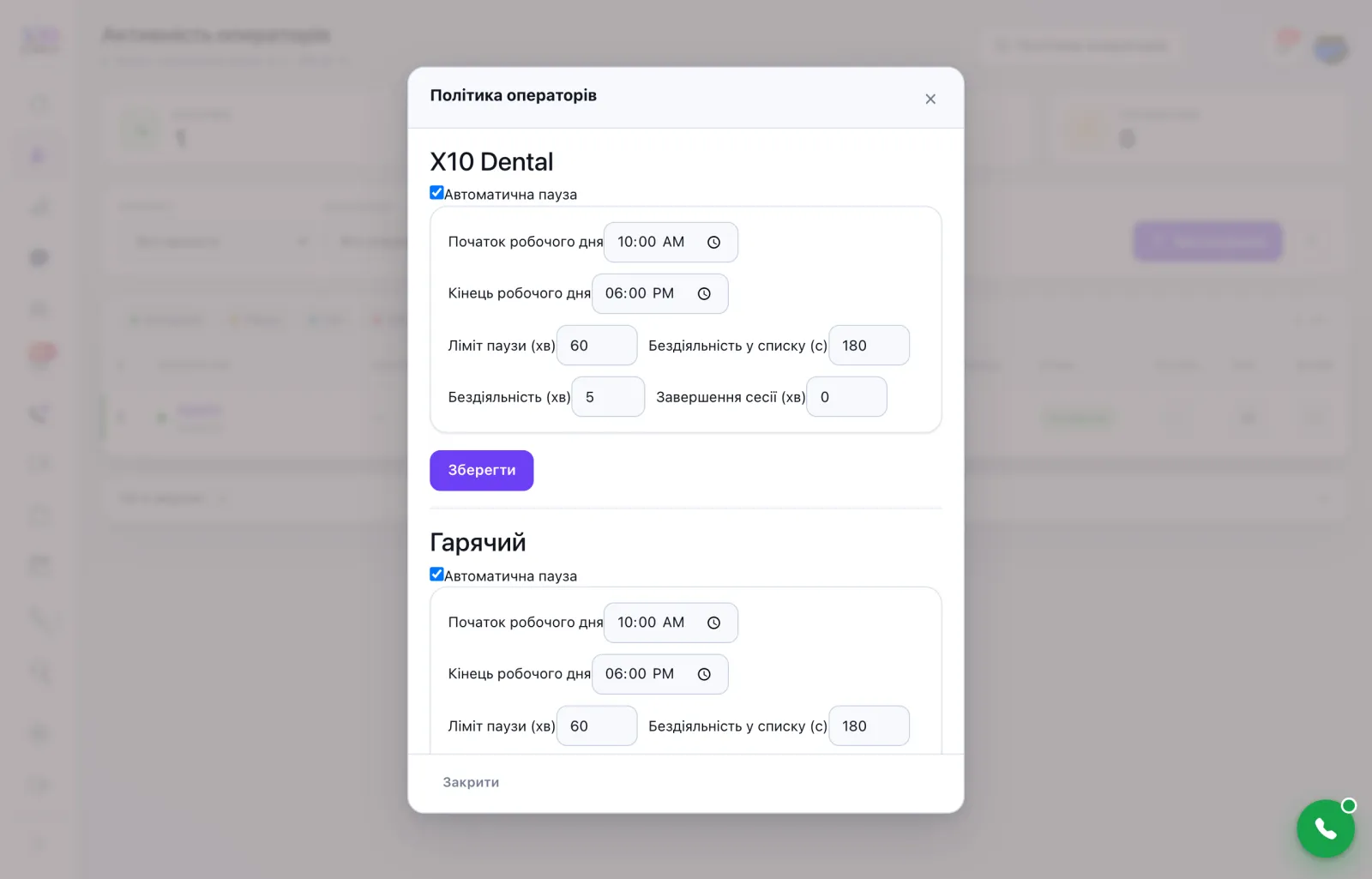
Operator policy holds the rules, set separately for each project.
| Field | What to set |
|---|---|
| Automatic break | Turns on auto-break on inactivity for the project's operators. |
| Start and end of the working day | The shift boundaries. Lateness counts from the start; breaks count within the day. |
| Break limit, min | Total break minutes allowed per working day, e.g. 60. |
| Inactivity on the list, s | After how many seconds idle on the lead list an operator is put on auto-break, e.g. 180. |
| Inactivity, min | After how many minutes with no activity in the CRM — auto-break, e.g. 5. |
| Session timeout, min | After how many minutes of inactivity the CRM signs the operator out. 0 — never. |
#The operator report
Period totals are in Statistics → Operators: online and working time, utilisation, breaks within the limit and overruns, and calls, leads and revenue per hour for each operator. The shift timeline shows how an operator spent a chosen day: work, breaks, calls. See Statistics.