Call scripts in your CRM: a prompt for reps and the basis for AI call scoring
How to write a sales script in X10CRM, show it in the lead card to the right roles at the right stages, and why the same script becomes the yardstick for AI call analysis.
A script is the structure of a conversation: greeting, questions, pitch, objection handling, close. In X10CRM it works twice: as a prompt for the rep right inside the lead card, and as the benchmark AI compares every recorded call against.
#The script list
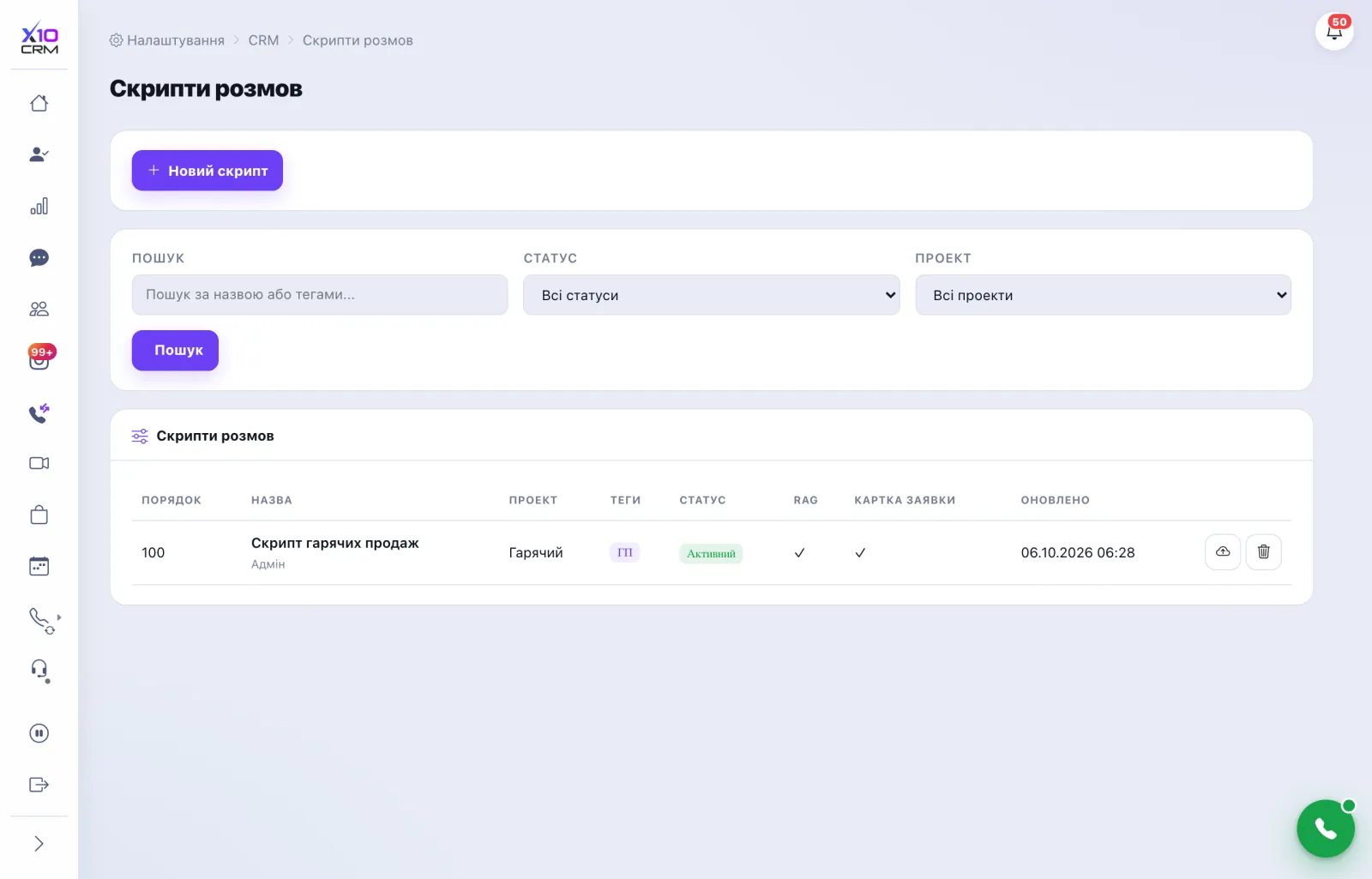
Settings → CRM → Call scripts. The table shows order, name and author, project, tags, status (draft or active), whether the script is synced with AI, whether it shows in the lead card and when it was last updated. Filter by status and project; search by name and tags.
#A new script
| Field | What to set |
|---|---|
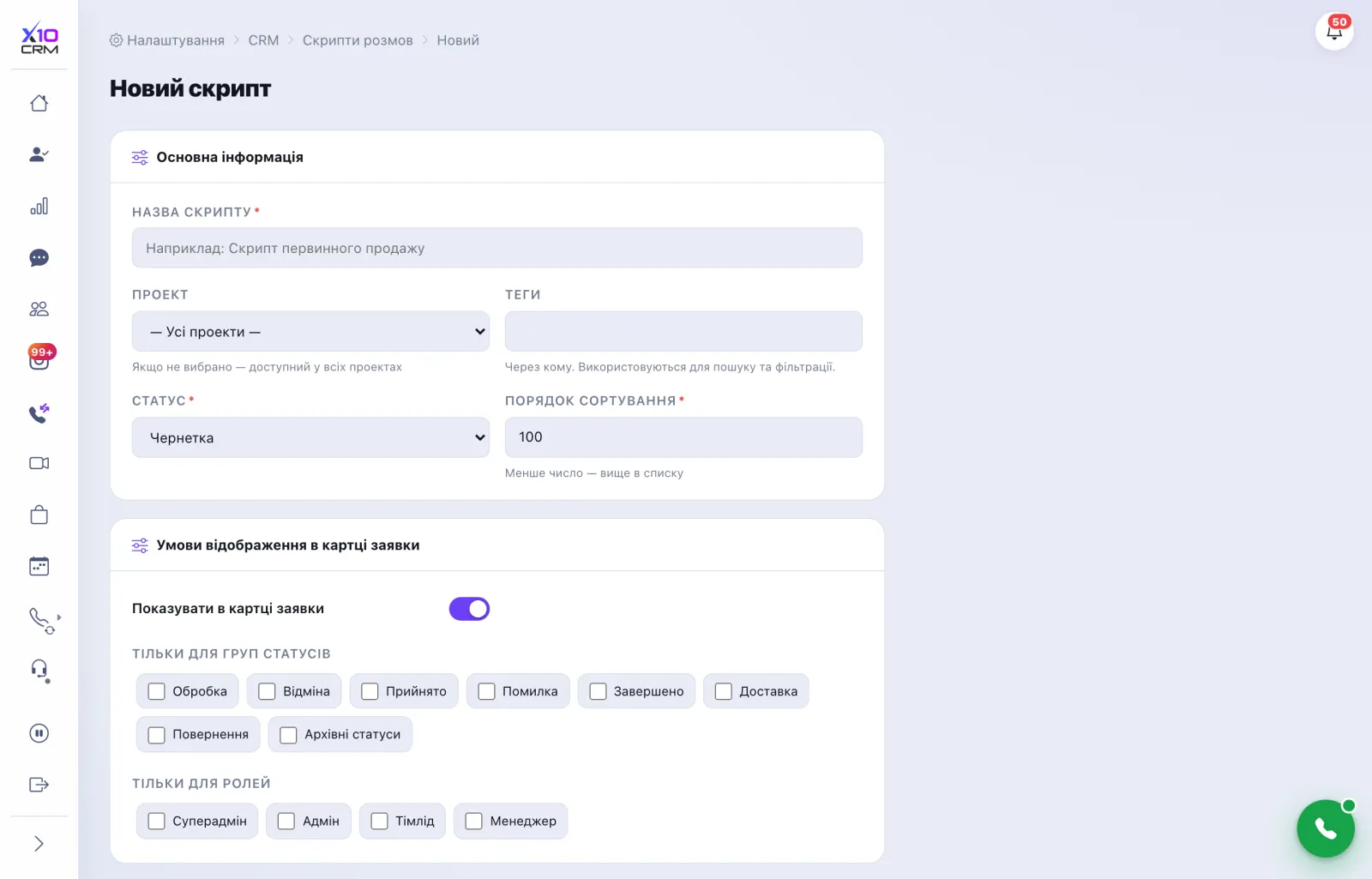
| Name (required) | For example, "First sale script" or "Repeat sale". |
| Project | Not set — the script is available in every project. |
| Tags | Comma-separated, for search and filtering. |
| Status (required) | Draft — you're writing and approving it; Active — reps see it at work. |
| Order (required) | A smaller number sits higher in the list. |
| Script text (required) | An editor with headings and formatting: stages, lines, objection handling. |
#Where and to whom to show it
- Show in the lead card — the script opens for the rep right during the call.
- Only for status groups — for example, the first-call script only for Processing and the win-back script for Cancelled.
- Only for roles — separate scripts for operators and senior reps.
#Scripts and AI call analysis
An active script is synced with X10CRM's AI. Once a call is transcribed, the AI gets the script as context and scores the conversation against it: did the rep cover the key stages, handle objections, where did they drift off script. The AI employee can start from the same script too.
How to read a call transcript: Call transcription.