
Clients and companies in your CRM: one record for every purchase
A dedicated section for your customer base: a client record with every deal and conversation, companies and job titles, custom fields, directory import and a new deal in one click.
A deal lasts a week; a customer stays for years. Clients gathers everything you know about a person or company into one record: how often they bought, how much they spent, who looks after them, what you talked about. It's the foundation for repeat sales — and for B2B, where one company brings in dozens of deals.
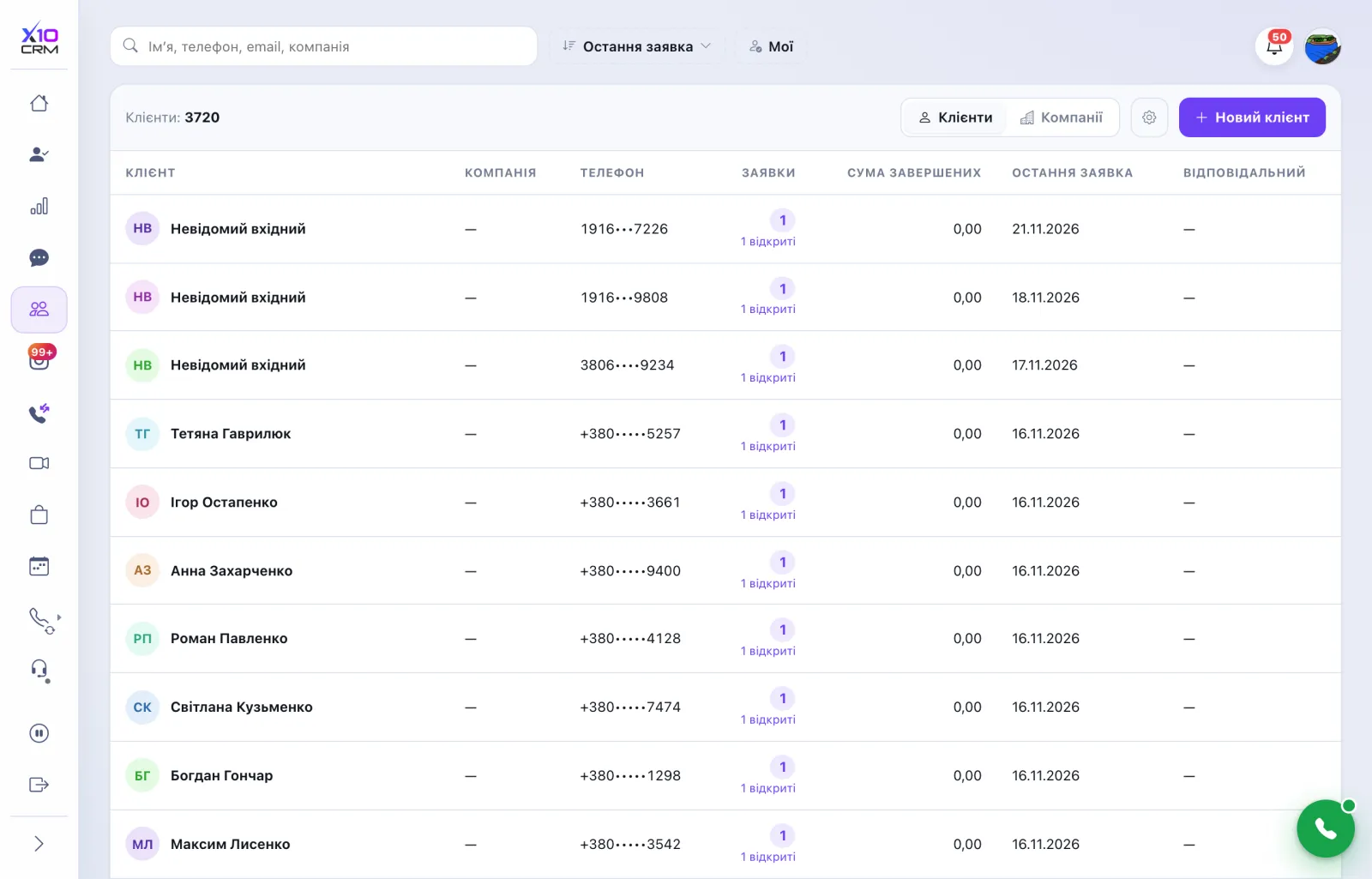
#The client list
The table shows what matters at a glance: company, phone, number of deals (and how many are open), the total of won deals, the date of the last deal and the responsible rep.
- Search by name, phone, email or company.
- Sort by last deal, name, purchase total or newest first.
- Mine shows only the clients you're responsible for.
- Clients / Companies switches between people and organisations.
- Custom client fields can be shown as columns and used as filters — see Lead settings.
#The client record
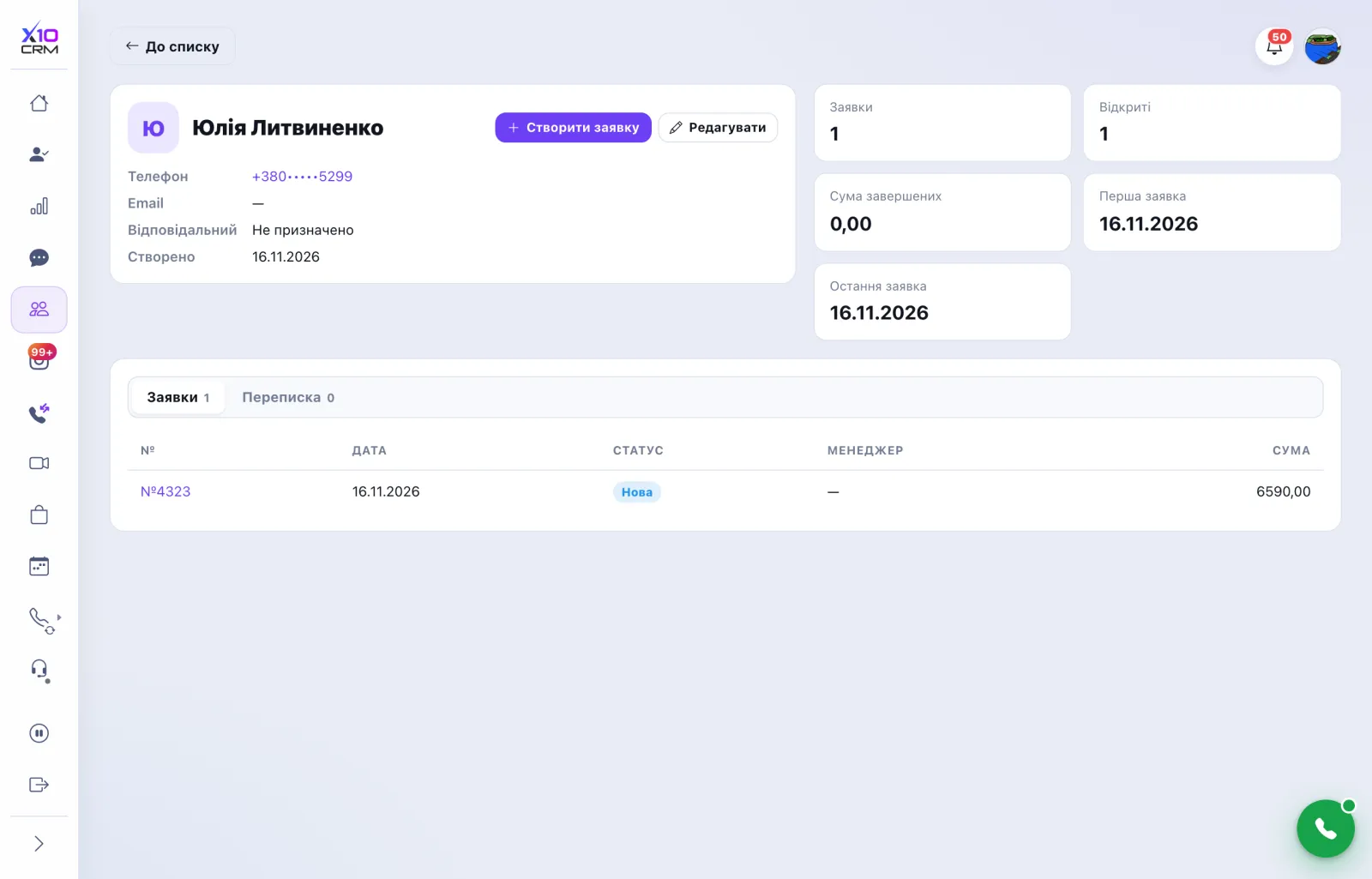
- Contacts and owner — phone, email, who looks after the client and when the record was created.
- Numbers — total deals, open deals, won total, dates of the first and last deal.
- Deals tab — every deal with its status, rep and amount.
- Conversations tab — chats with the client in messengers and social channels.
- Company and job title — for B2B: which company the contact belongs to and their role there.
- Custom fields — tax ID, address, birthday, favourite product — anything that's the same across all of the client's deals.
#Name and phone live on the client
Full name and phone now belong to the client, not to a single deal. Fix the name in one deal and it updates on the client record and in all their other deals. No more three spellings of the same person across three orders.
#A new deal from the client record
A regular customer calls with a new order — open their record and click Create lead. Contacts, company and custom fields are filled in automatically, and the rep sees straight away that this is a returning customer with a purchase history.
#The client inside a conversation
When someone without a deal writes on social channels, a Client block appears next to the conversation: the CRM finds them by their profile or their Viber or Telegram number. One button creates a deal for them. And if your process revolves around the client rather than the order, switch on "client and tasks instead of the lead" in the lead card settings.
#Importing your directory
You can load your customer base from your accounting system, including 1C, along with companies. Numbers in non-standard formats from imports or manual entry are masked too for roles that aren't allowed to see full numbers. Loading deals from a spreadsheet is covered in Import from Excel and CSV.