
Products, services and stock in your CRM: catalogue, import and auto write-off
How to run your catalogue in X10CRM: products and services, selling and purchase prices, stock, Excel import and export, and stock reserved and written off automatically by lead status.
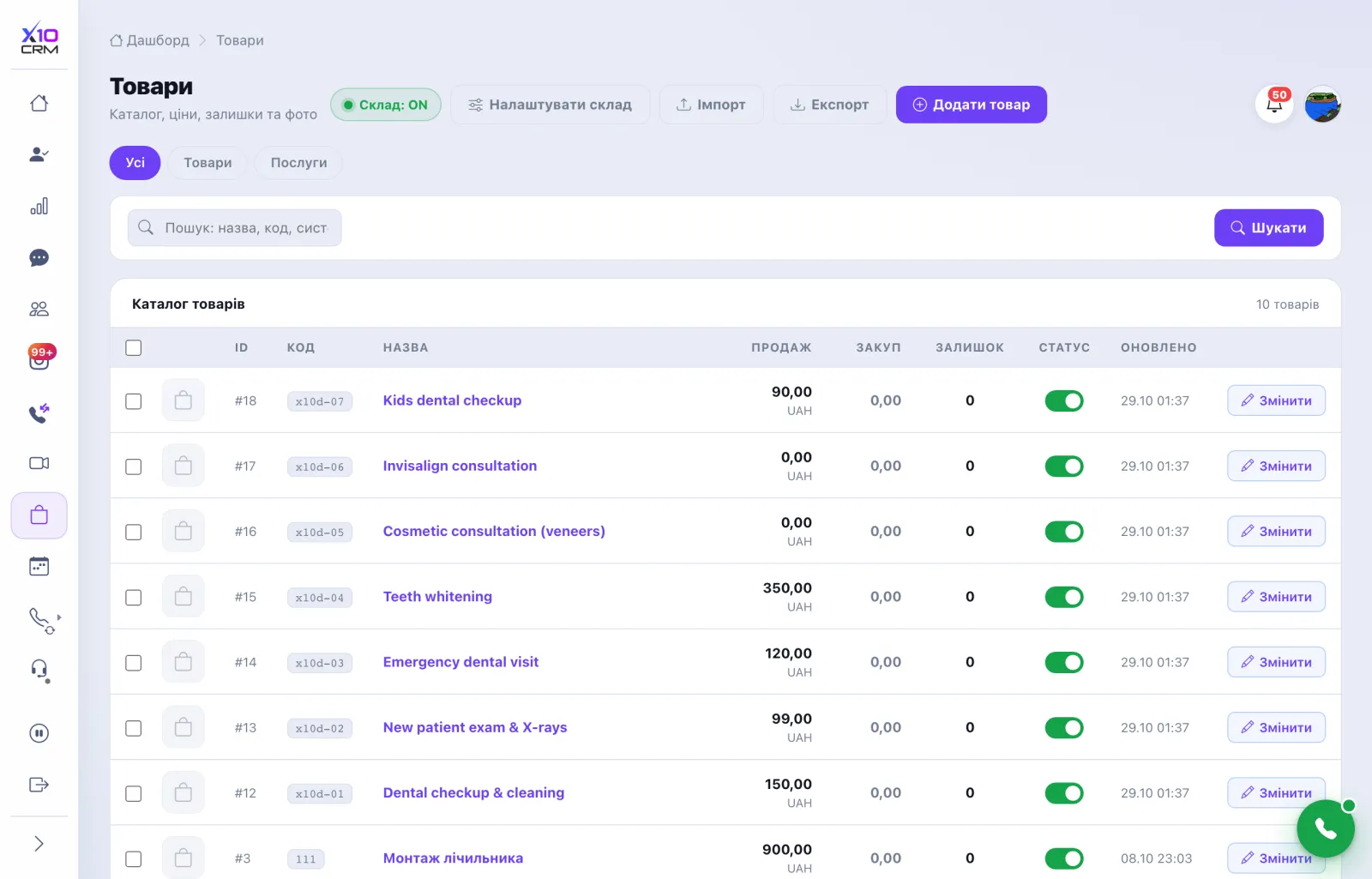
The catalogue is what reps build carts from and what the AI employee uses to answer customers about prices. Products and services, selling and purchase prices, stock and photos all live here. It's the Products section in the menu.
#The catalogue
- All / Products / Services tabs and search by name or code.
- The table shows code, name, selling price, purchase price, stock, status and last update. Edit a row with Edit.
- The header shows whether stock accounting is on: Stock: ON.
- Import and Export for working on the catalogue in Excel, Add product for a single item.
#The product card
| Field | What to set |
|---|---|
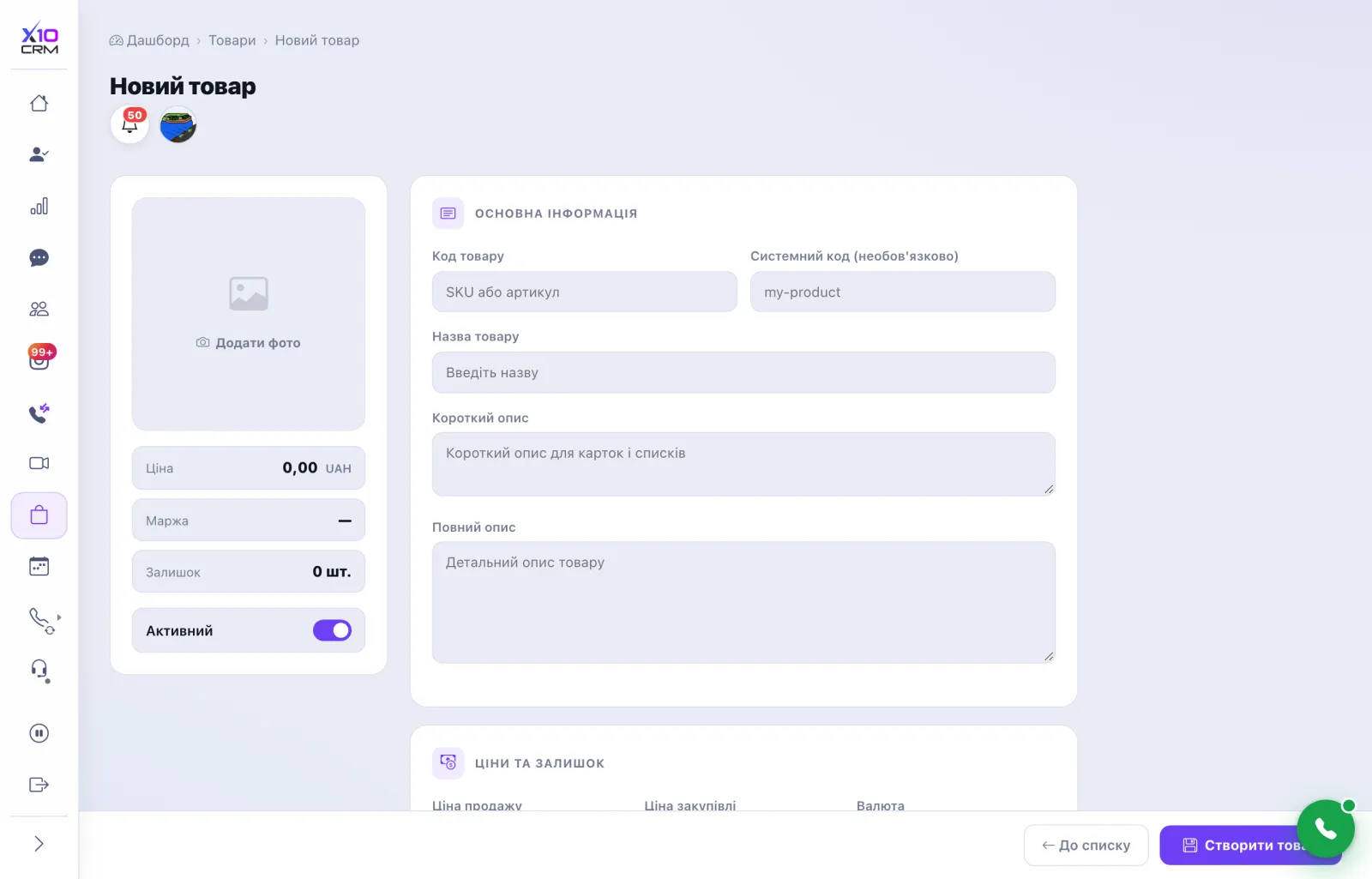
| Product code | The SKU. Imports and price updates find the product by it. |
| Name (required) | How the rep and the customer see the item in the cart. |
| Short and full description | The short one shows in search, the full one in the card. The AI employee reads them too when telling a customer about the product. |
| Selling price and purchase price | The CRM calculates margin and per-lead profit from the difference. |
| Currency | The price currency. |
| Stock | How many units you have right now. |
| Track stock | Untick for anything not kept in a warehouse: stock won't be written off when a lead's status changes. |
| Photo | Shown in the lead's cart next to the name. |
#Services and time-slot booking
Ticking This is a service turns the item into a service customers can be booked for in the schedule. No stock is tracked for it. Booking fields appear:
| Field | Meaning |
|---|---|
| Duration, min | How long the service takes |
| Buffer before and after | Preparation and clean-up time so bookings don't run back to back |
| Places | 1 — one-to-one; more — a group session for that many people |
| Where it's provided | At your place, at the customer's or online |
| Arrival window | For on-site jobs: an exact time or a window like "9 to 12" |
| People needed | 2 or more — the booking takes a crew |
| Completion checklist | Items the technician ticks off on site; a leading "!" makes one mandatory |
| Calendar colour | So services stand apart in the schedule |
How scheduling and booking work is covered in Schedule and services.
#Import and price updates from Excel
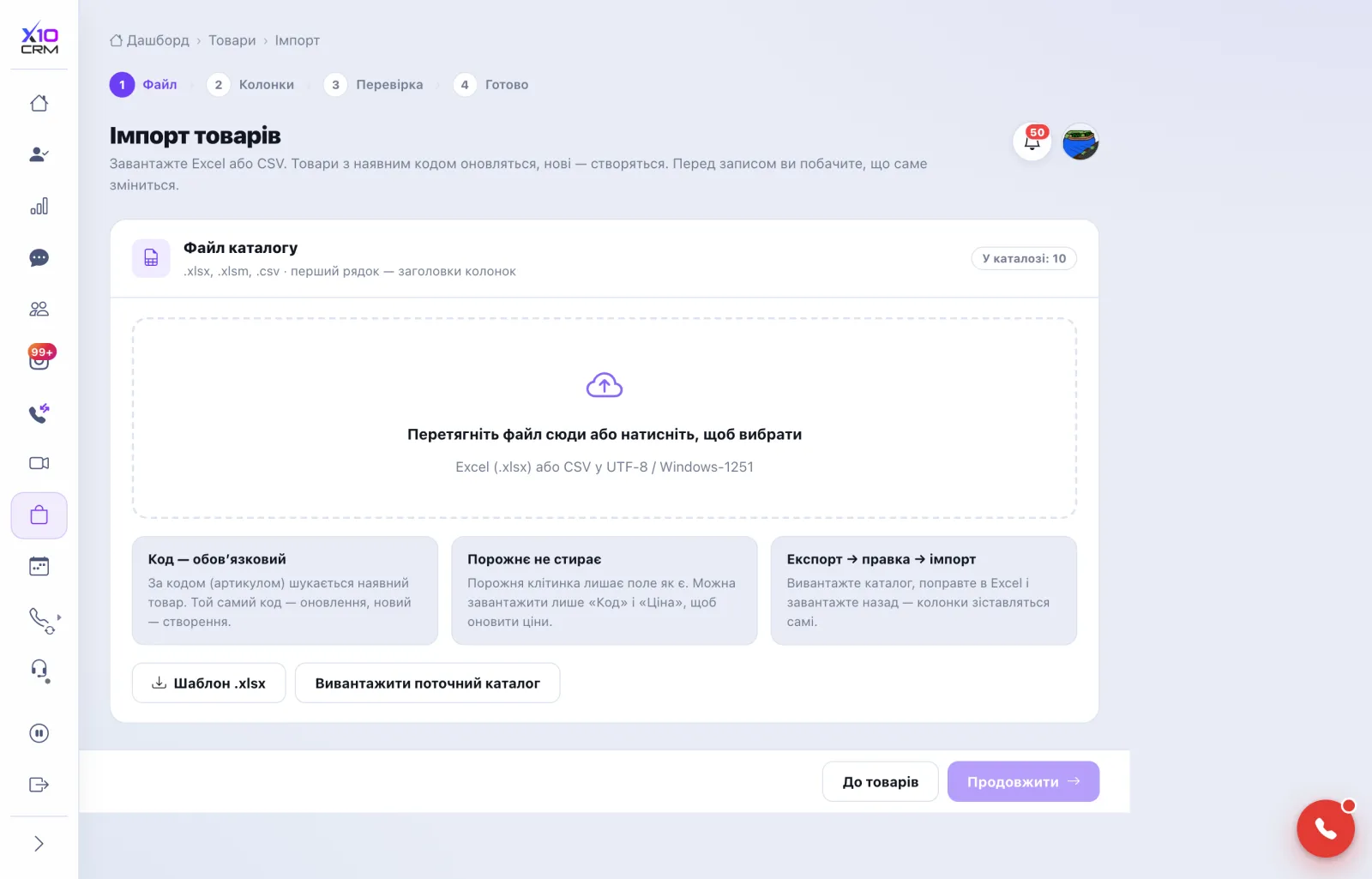
- 01
File
Excel (
.xlsx,.xlsm) or CSV in UTF-8 or Windows-1251, with headers in the first row. - 02
Columns
Map the file's columns to product fields.
- 03
Review
Before writing, the CRM shows exactly what will change: which products are created and which are updated.
- 04
Done
The catalogue is updated.
- The code is required. The same code updates a product; a new one creates it.
- An empty cell erases nothing. To update prices, a file with two columns — Code and Price — is enough.
- Export → edit → import. Download the catalogue, edit it in Excel and upload it back — the columns map themselves.
- A ready-made .xlsx template is on the import page.
#Automatic stock adjustment
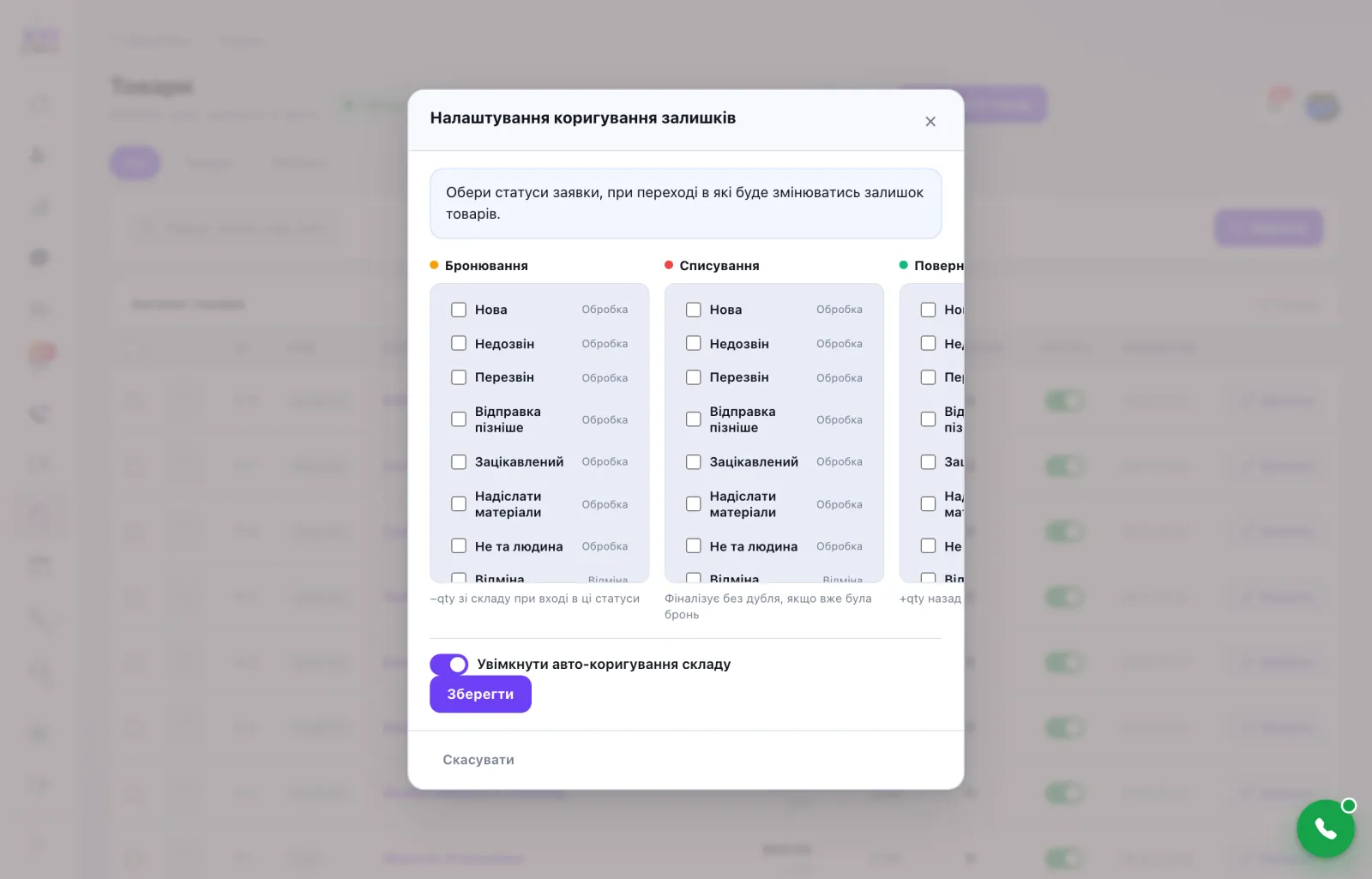
Stock settings opens the choice of statuses that change stock when a lead enters them. Three columns, three events:
| Column | What happens | Typical statuses |
|---|---|---|
| Reserve | The item is taken off stock when the lead enters the status | Accepted, Confirmed |
| Write-off | The sale is recorded. If the item was already reserved, it isn't deducted twice | Delivery, Completed |
| Return | The item goes back into stock | Returned, Cancelled after reserve |
How products get into a lead, plus discounts and profit, is in Cart, products and prepayments.